Showing posts with label rhythmbox. Show all posts

HOWTO: Get more visualizations in Totem/Rhythmbox

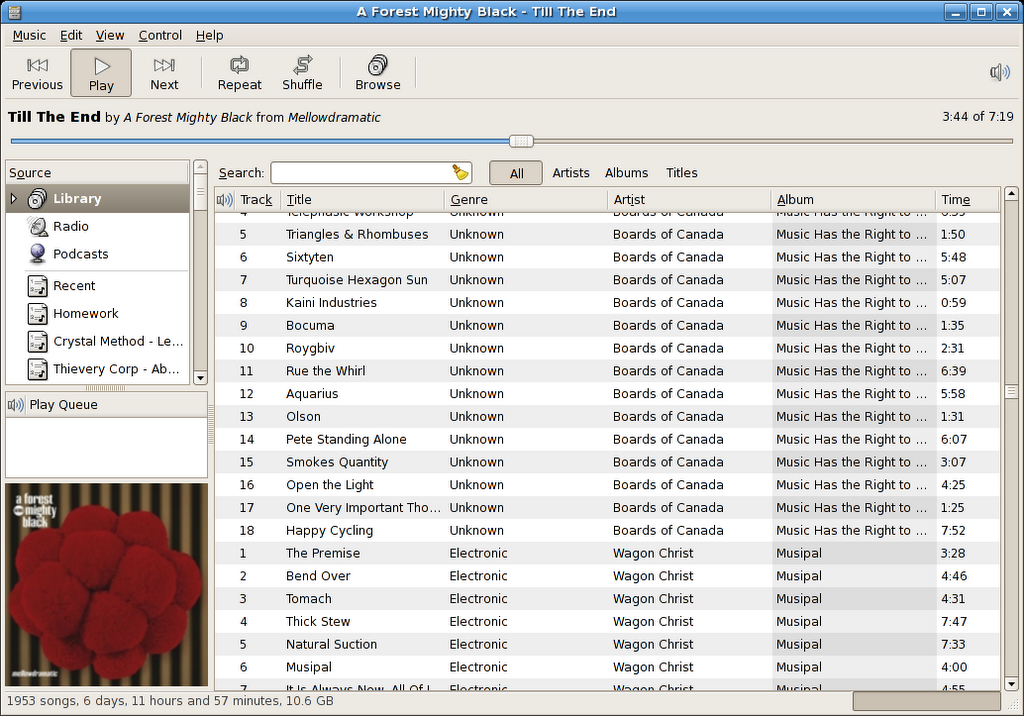
After 4 years, I finally got sick of GOOM and decided to figure out how to get more visualizers in Totem and Rhythmbox.

This looks really trippy when it's in motion


Turns out all you need to do is install the libvisual-0.4-plugins package through Synaptic. Piece of cake.

In Gutsy this buys you eight more visualizers, although I was hoping for more than that*. I feel the urge to write a cool visualizer one day, seems like a good weekend project.

* I was hoping that it'd be like installing xscreensaver-gl-extra and xscreensaver-data-extra, where you get a ton of really funky new screensavers.

Ubuntu 7.10 Released

Ubuntu 7.10 was released yesterday after another exciting development cycle, bringing a slew of new features and bug fixes. Among my favourites are:

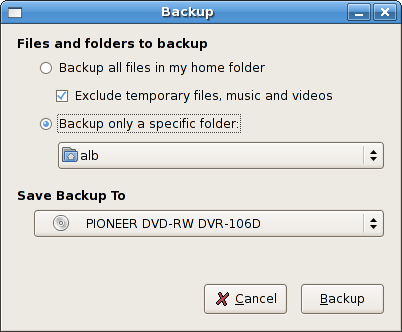
  • New printer setup dialog (System->Administration->Printing) - Looks a lot more complete now:

  • The Firefox plugin finder is integrated into apt now! Not only does the plugin finder detect the correct plugin, but it'll download and install it from the Ubuntu apt repositories. Sweet integrated goodness. (The Add-Ons/Extensions window also has an "Get Ubuntu Add-ons" thing that's tied into apt as well.)


After using the easy codec installation that Ubuntu 7.04 brought along with the new Firefox-apt integration in 7.10, I've realized that my dream of "intelligent package suggestion" has been fulfilled. Way to go Ubuntu/GNOME team!

I've been using Gutsy for almost 2 months now, and I could never go back to an earlier version of Ubuntu. As Dan mentioned, the latest version of Rhythmbox totally kicks ass (it's worth upgrading to Gutsy for that alone). WINE has much nicer integration into the Applications menu now too. There's just tons of nice little features that make Ubuntu 7.10 awesome.

I'm going to try to pick up a laptop this weekend (maybe an Acer TravelMate 6292 or an Acer Aspire 5920), so we'll see how 7.10 handles Intel's new Santa Rosa chipset.

Grappling the Gutsy Gibbon

I've been invited by GameGod to contribute to this blog giving ongoing updates of my foray into the world of Linux. However, I haven't figured out if it's because he thinks some readers may find it illuminating to see how a total newb is getting along with Ubuntu, or if its because he is sick of helping me with this stuff and wants the comments section to take his place. Regardless, here I am.

As far as operating systems go, I've been using Win2K for probably about 5-6 years. Sure, theres probably something nice about XP, but 2K has been good and stable for me and I dont want to rock the boat. However, I've been tinkering around with an old P3 800mhz thats been kicking around, getting it to run Ubuntu 7.04 so I can make a mythtv box. Everything has been going pretty well, except for the fact that while I'm at school I have a hard time justifying the $150 in hardware I need to purchase to get the thing off the ground. The one thing I did learn in that experience though is that iTunes is a piece of garbage and I want to use Rhythmbox full time. Therefore, I've decided to make the plunge and give this "dual booting" nonsense a try so I can have Win2k for gaming, and Ubuntu for living.

My progress so far is as follows:
Downloaded the new version of Ubuntu (7.10). Booted off the CD to give it a shot. Sound doesn't work, wireless doesn't work. The built-in wireless networking app cant detect the network, and freezes the whole system when I try to manually connect. That may just be a problem with the boot cd, or it may be that I dont have the correct drivers at the moment (I've got a USB key with drivers, apps, and instructions so I hope that'll cure what ails me. Also, here's a handy list of supported wireless cards. Link). After wrestling with some HDs for a while (sata is new to me, and thats a long story that has nothing to do with linux) I've got them both up and running.
The game plan is to format the new 100gb drive to ntfs, backup my files from my primary drive to the 100gb, wipe the primary (a 320gb), partition it with about 100gb for windows, 200 gb for Ubuntu. Install windows, install linux, dual boot. Then if I want, format the 100gb to ext3 (or whatever the linux format is), and then use that.
My first HD problem was with gparted. Got the 100gb HD in, set it to delete the current partition, and format it to NTFS. Everything looked good, but it did everything unusually quickly and then crashed. Cool. Thanks gparted. So I booted back into windows, checked it out, and everything looked fine (I threw a file on it, loaded it from the 100gb). I decided though that I'd like to make sure everything was working properly and make sure there wasnt some corrupted section thats going to make me lose my files. I figured I would give gparted another shot so I used the boot CD, got into Ubuntu, performed the same operation as I did before, only this time it failed making the drive NTFS, and would crash every time I tried to do anything with that drive. So then I booted into Win2K, and formatted it via My Computer in less than 2 minutes without any problems. As it stands, I'm copying my folder of files-to-backup over to the 100gb.
Well actually, this is the second time. The first time the operation failed because it said that one of the files couldnt be copied because the name was too long (what the hell? If the name was too long, why didnt they make me rename it when I saved it on my primary drive? I checked the name, and its just a pdf file without any of the banned characters in the name). So I moved the subfolder with that file in it out of the back-up folder to try again. But because half of the stuff was copied on in whichever order, I decided to delete everything and try again. The recycle-bin told me that some of the files had names too long to be put into the recycle bin....

Why do I have the feeling that this is just the beginning?

Update: I think I have figured out the "filename too long" problem. I guess the "filename" isn't just the name of the file itself, but the location of the file as well. So instead of garbage.pdf, its c:\stuff\garbage.pdf. But if you have it on the desktop or something, its c:\documentsandsettings\users\username\desktop\stuff\garbage.pdf. So apparently for whichever reason, theres a limit to how big the filename would go. I always had this folder of stuff right in c:\ so there was never a problem with the largish filenames. However, once I put it on my desktop, or in a subfolder in my backup folder, they became so large that I couldn't open some of the files (which I definitely have done before). So I guess I learned something new there.
Also, there wont be any updates from me until monday at the least. Going home for the weekend, and bringing back my Win2k cd so I can finish this off. I'll also be meeting up with Gamegod, so I'll be able to ask for annoyingly detailed questions about how to get dual-booting set up

Edgy and Beyond

It's been a few days since Ubuntu 6.10/Edgy Eft was released, and you haven't upgraded already, here's a few reasons to:
So what are you waiting for?
Upgrade to Edgy now, or if you still haven't given Ubuntu a shot, now would be a good time. You won't regret it.

If you're interested in finding out what's on the drawing board for the next Ubuntu, version 7.04/Feisty Fawn, here's some things we might see:
If there's one thing that's clear to me from running Ubuntu 6.10 for over a month now, it's that Ubuntu is still getting better and seems to be making great strides toward becoming the most usable operating system on the planet. I can't imagine where we'll be in three years.

Rhythmbox vs. Banshee

Update Sept 18/07: I realize a lot of people are still reading this article, and I'd live to give a big fat WARNING to everyone that this comparison is totally out-of-date now. Both Banshee and Rhythmbox have seen several releases since I wrote this article, and they've both improved tremendously. At the moment, my favourite player is Rhythmbox (0.11.2 on Ubuntu 7.10), as it's got a bunch new killer features that I can't live without (play queue, Magnatune+Jamendo integration, Last.FM). It's still worth checking out both apps though.

When it comes to music playback and management software on Linux, there's a million pieces of software to look at. But when it comes to good music playback and management software, then your choices get narrowed down quite a bit. Amarok is the killer music playback/management software for KDE. It's got incredibly creative and well thought out next-gen features that you won't find in any other music software. What's next-generation, you say? Wikipedia artist lookup, awesome dynamic playlist support, the cool sidebar that presents you with intelligently arranged music relating to what you're listening to, excellent MusicBrainz support, and the list goes on. I haven't used Amarok since 1.3 (and we're on 1.4 now), but it was so feature-packed back when I used it that it was hard to move away from it. (Here's a screenshot of Amarok 1.4.)

Why did I move away from it then?
The user interface wasn't spectacular. If you look at the left-most side of the screenshot in the link above, you'll notice there's sideways tabs. Honestly, they just make a cluttered UI even more cluttered. I found myself drawn to much simpler user interfaces, like those presented in Rhythmbox or Banshee. I wanted an easier to use application that packed the same essential features under the hood.

Anyways, the two big contenders I found were Rhythmbox and Banshee. Rhythmbox is the official music playback software of the GNOME desktop, and you'll find it included in any modern distro like Ubuntu or Fedora Core. In my personal experience, Rhythmbox has a history of being unstable, slow, and relatively under-featured. However, in the past year, Rhythmbox has gotten it's act together. It's now the music player that it should be. It's stable, quick, and much more rounded out now. It has support for streaming internet radio, DAAP shares, CD playback, and has fairly good playlist management.
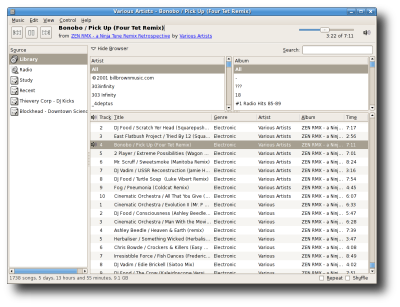

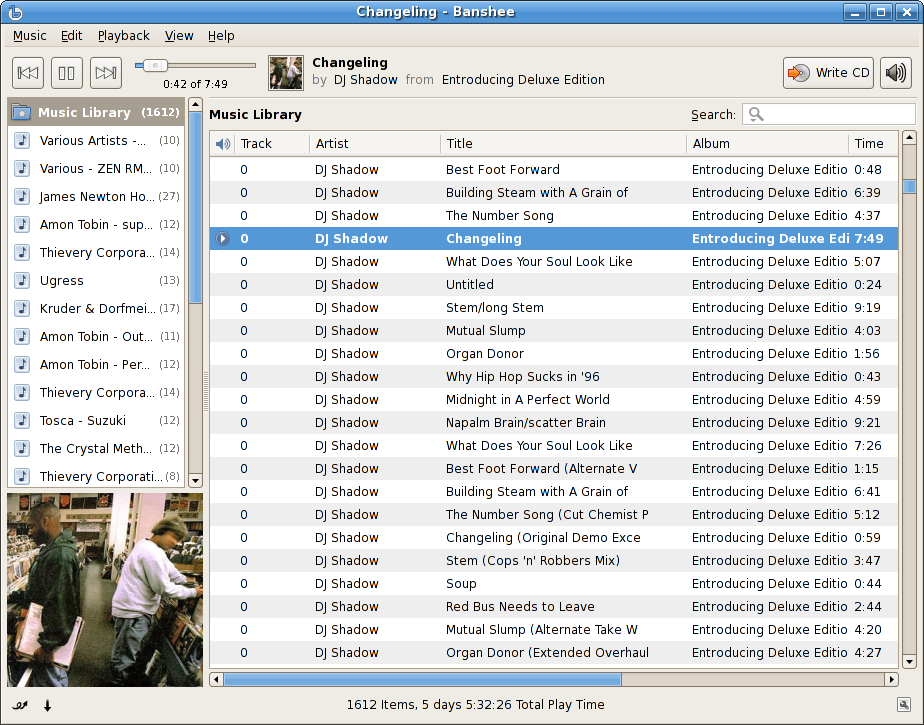
However, Banshee also caught my eye a while ago. One of the main reasons I wanted to upgrade to Ubuntu 5.10 was to be able to run Banshee. Why was I so excited?
You tell me:
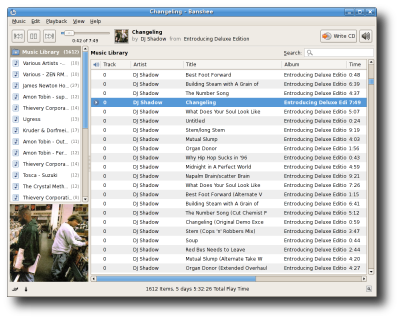

The interface was exactly what I was looking for. I wanted an easy and quick way to access my entire collection in a single list, easy playlist creation, and cool features that didn't look like they were tacked on. Banshee is smart too. If you select all the songs from an album in the "Music Library", then right click and go to "Add to Playlist", then "New Playlist", it'll automatically create a playlist with the name of the album.
Banshee also has a well designed plugin system, awesome iPod support, and CD burning capabilities. All of this is wrapped up to make one of the most solid and promising next-generation apps of the Linux desktop.

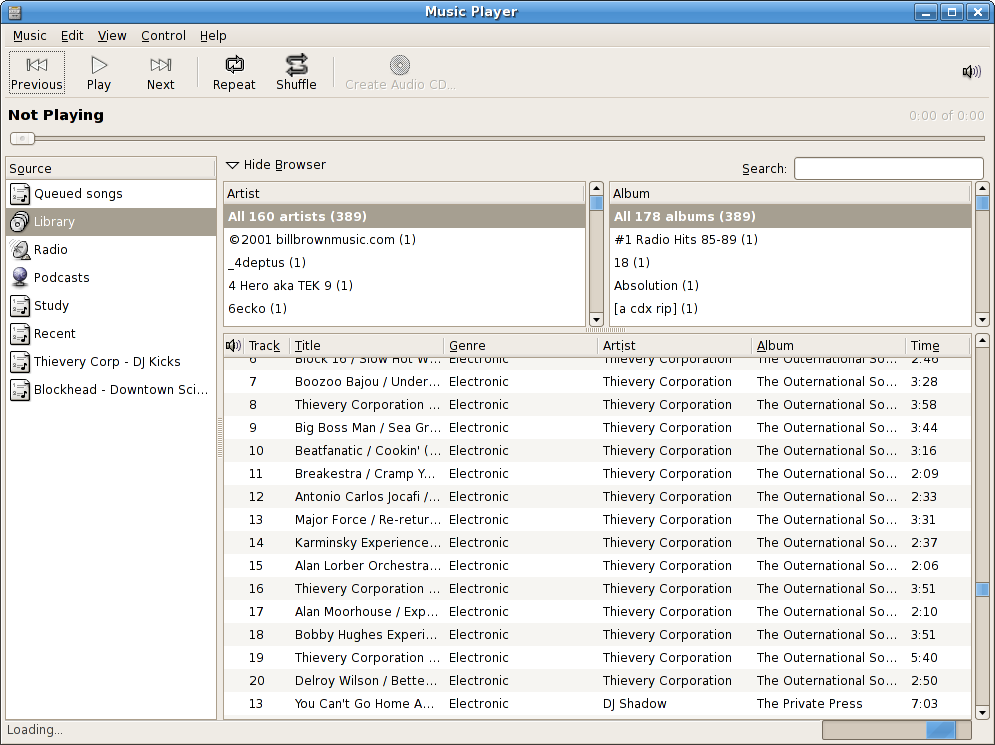
In the newest version of Rhythmbox, the interface was also redesigned:
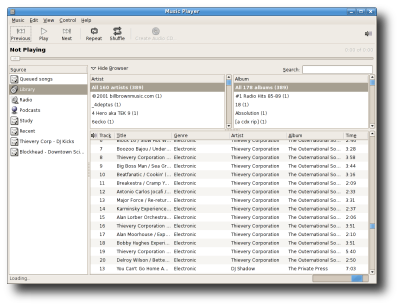
Here's a quick comparison of the two pieces of software:


Rhythmbox
  • Audioscrobbler/Last.FM support
  • Streaming internet radio support
  • CD Burning
  • Playlist importing
  • Automatic playlists
  • Multimedia keys support
  • DAAP support
  • Play queue
  • Podcast support
  • Filesystem monitoring/Library watching (fam/gamin)
Banshee
  • Audioscrobbler/Last.FM support
  • Album Art
  • Intelligent playlist management
  • iPod support (with transcoding)
  • CD Burning and Ripping
  • Metadata fecthing
  • Filesystem monitoring/Library watching (inotify?)
  • Multimedia keys support
  • DAAP support

As you can see from this comparison, both players have their advantages and disadvantages. However, I feel I should point out that Banshee is quite a young project, while Rhythmbox has been around for many years. The pace of development and level of polish with Banshee is partly due to it's use of Mono. On top of this, many of the next-gen features in Rhythmbox such as DAAP support, podcast support, Audioscrobbler integration, and the redesigned interface have only been added very recently - and I think that's partly due to pressure from friendly competition with Banshee. (That's a good thing, by the way.)

So, should you use Rhythmbox or Banshee?
Your best bet is to wait until Dapper comes out in April (or the next version of your distro of choice) and to try them both out. By then, both pieces of software might have added many new features. Exciting stuff.

Additional reading and downloads:
Edit: Some readers at the Ubuntu forums have mentioned some good additional points. Because Banshee uses Mono, it can be a bit sluggish at times, and might not be suitable for slower PCs. Also, the ID3/ogg/other tag editing capabilities of both programs isn't great (which is odd for music management software.) One more additional point of my own is that both players should experience a bit of a speed increase if you're using them built for GStreamer 0.10 (as they should be in Dapper)...